In my previous post I showed you how to jailbreak iOS 10-10.2, if you have successfully jailbreaked your iOS device then you may be wondering how can I re-jailbreak my device unless Cydia Extender was released the method was completely different from the method which we may used. Thanks to Jay Freeman (aka Saurik) for developing the tool which allows you to preserve your jailbreak even after the 7 days certificate limit. Though it was intended to facilitate only the paid developers who have a developer account (for which you have to pay $99/ year), but now you don't need a developer account to use the Extender.
So here is step by step solution to Re-sign Yalu on to your iOS 10-10.2 devices.
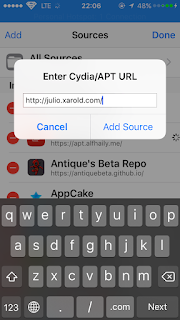
- First of all start by adding the Cydia Extender Installer, which you need to download from the source : https://apt.enduniverse.com/cydia/ just copy the source and now open cydia and then go to sources then add source and paste it there.
Update: Use this source instead of enduniverse, http://repo.incendo.ws/ which is more trustworthy and it contains a better version of Cydia Extender, once you have added the source search for Extender Installer and install it and that's it you have Cydia Extender installed on your springboard. Now you don't have to follow the below steps.
- After adding the source search for Cydia Extender Installer, and install it. Also if you not already installed Filza File Manager, & mTerminal just search for them and install them too.
- Now get your TeamID by opening Filza and then go here var/Containers/Bundle/Application/yalu102/yalu102.app/ and open embedded.mobileprovision by clicking it and open in Text Editor.
- Copy your TeamID it is a 10 digit string (combination of digits & alphabets) below the ApplicationIdentifierPrefix. See highlighted box.
- Now open mTerminal and type su, it will ask for a password type in your password in case you have changed it (default password is alpine). You will see root after you have successfully logged in as root user.
- After this type cyextender [Your ID you just copied]. Press return or enter. See below.
- Now you will see some code running inside the terminal just wait for the process to finish it may take a minute. After it says Done & cleaning up close it. Make sure there are no errors.
- A new app will be installed on your home screen called Extender, open it and it should ask you to install a VPN let it install it. Close Cydia Extender also remove it from the app switcher.
- Open Cydia Extender once again now it will open safari after some processing it will ask you to install a profile. Install the profile and if you have passcode enabled it will ask to enter your passcode.
- Once again open Cydia Extender now again it will load safari go to this site where you have to download the ipa depending on your device, click on the ipa and after downloading it will ask to open in Extender, click there. If it doesn't load safari close Cydia Extender and reopen it.
- If you have downloaded the ipa Cydia Extender will ask you to input your apple id and password no harm just type it and wait for a minute (Don't click on Installed).
- Now the yalu102 app will be installing in the home screen. Now after every week you should delete the Cydia Extender profile and follow the same steps (after step 10).
That's it you have a solution for resigning the yalu app so that you never loose it, no matter what. If you have any problems related jailbreaking please comment. Also if you are facing any issues with the Cydia Extender check out this
video.



Comments
Post a Comment